Courses
– Shows all your created and followed courses.
Lessons
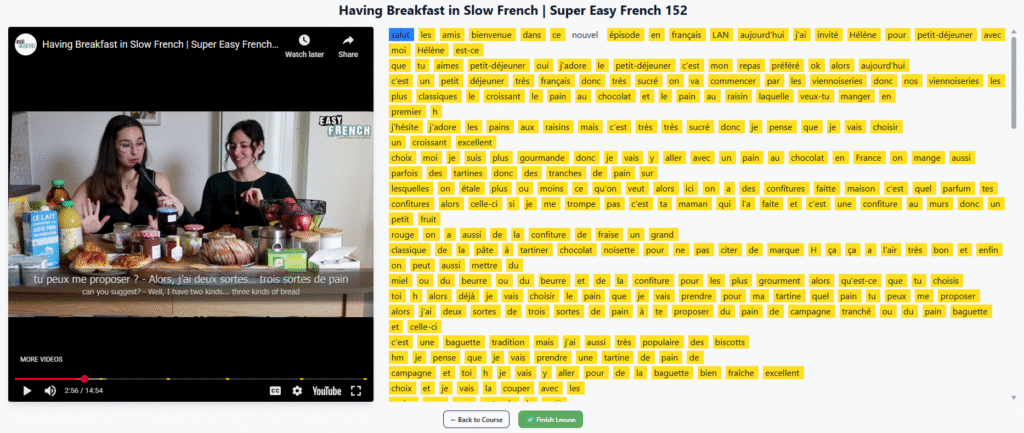
Lists all your lessons, whether standalone or part of a course. You can create, edit, or delete lessons here. Each lesson includes a YouTube video and transcript.
As you read, translate unknown words. The system uses spaced repetition and linguistic tracking to change word colors over time
- Blue: new (tracked word)
- Yellow: unknown
- No color: known
You can also manually change colors or reset a word’s progress if you forget it.
If you already know a language, just translate the few words you don’t know and click Finish to mark the rest as known.
Account Settings
– Update your name, email, password, or language preferences.
Billing
– Shows your subscription status. Payments are handled securely through PayPal, we never store your card details.